Structural Analysis Workbench (SAW)
SAW is my desktop engineering system that takes a structural analysis project from the MSC Nastran input decks to a review-ready PowerPoint presentation and Word stress report: all the work after the solver went from days to a couple of hours, with one standard for the whole team. On top of it runs my agentic AI workflow in VS Code: AI agents plan, solve, post-process, review and assemble the whole project, while I make all engineering decisions.
I conceived, designed and built SAW alone, as the structural engineer, product owner, software architect and developer. I designed the AI skills that run my analyses through SAW, and I direct the team of AI agents that develops and tests it under my engineering rules. I use SAW on all my projects, and my stress team colleagues use it in their own projects.
What I did
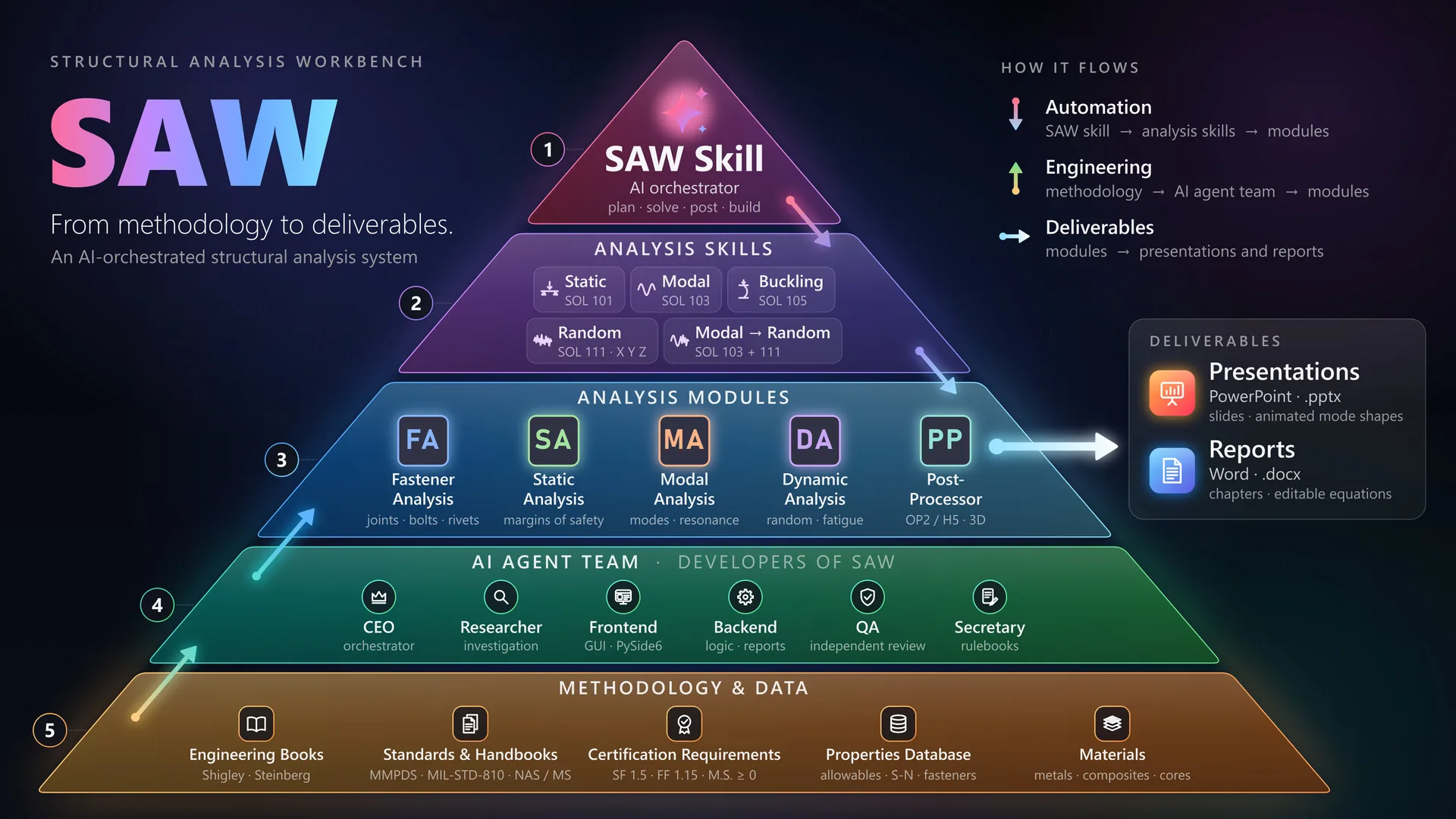
- Agentic workflow: I designed 6 AI skills that run a complete project: static, buckling, modal and random vibration, from the Nastran input decks to the final presentation and stress report, with almost no manual work
- One working environment: I built the whole system in VS Code, and all the AI skills and agents run there today; every analysis and every correction is made from it, and the lessons of every project are written into the skill instructions, which the agents read on the next run
- AI review board: I set up at least 5 AI agents to work in parallel on every run, 4 of them independent reviewers for model consistency, loads and spectra, solver health, and materials and allowables
- Measured speed: I took a real four-analysis project through all solves in 3 min 19 s, parallel post-processing in 31 s and the build in 41 s, into a 37-slide presentation and a full stress report
- Built-in quality control: I defined 57 automatic checks that flag poor solver accuracy, load imbalance, mass mismatch, low modal mass, resonance risk, high amplification, fatigue damage, negative margins and buckling below the applied load
- One workbench: I brought the whole analysis process into one window with 5 modules (Post-Processor, Static, Fastener, Modal and Dynamic Analysis), one materials database and one method standard for every engineer and every project
- One-click deliverables: I automated the company-format presentation and the Word stress report, with editable Office equations, numbered chapters, a margin of safety summary linked to every section and material appendices
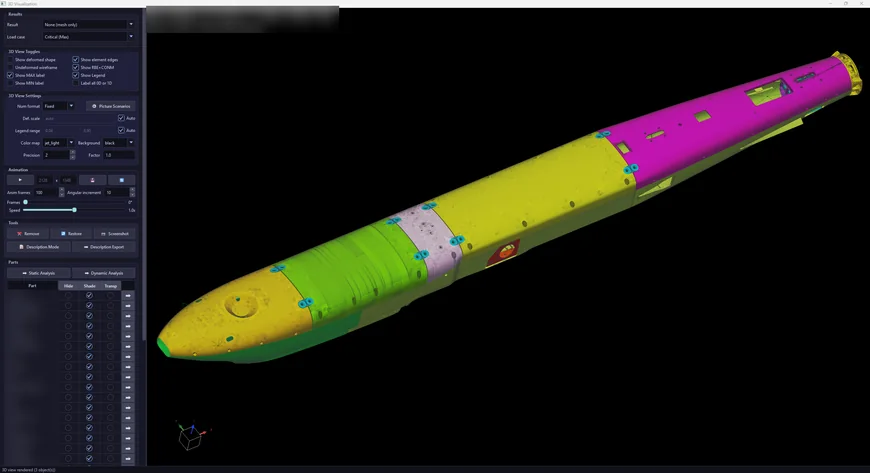
- No missed critical case: my 3D post-processor for MSC Nastran results checks every part in every load case, ranks the margins and picks the critical case of each part
- Large-model performance: I made a 1.24-million-element model animate at about 60 frames per second instead of 1.7, with 62 optimizations, each proven to give the same numbers and the same picture
- AI development team: I designed and direct 6 AI agents, from a CEO agent that plans and delegates the work to a QA engineer that independently reviews risky changes; they develop, test and document SAW under written engineering rules: about 98,000 lines of application code, covered by 102 test and benchmark scripts
Result
Methods and tools
Quality a reviewer can trace
- Editable equations: every equation is a native, editable Office equation with the numbers substituted
- Traceable allowables: every allowable carries its source, and the source tables go into the report appendices
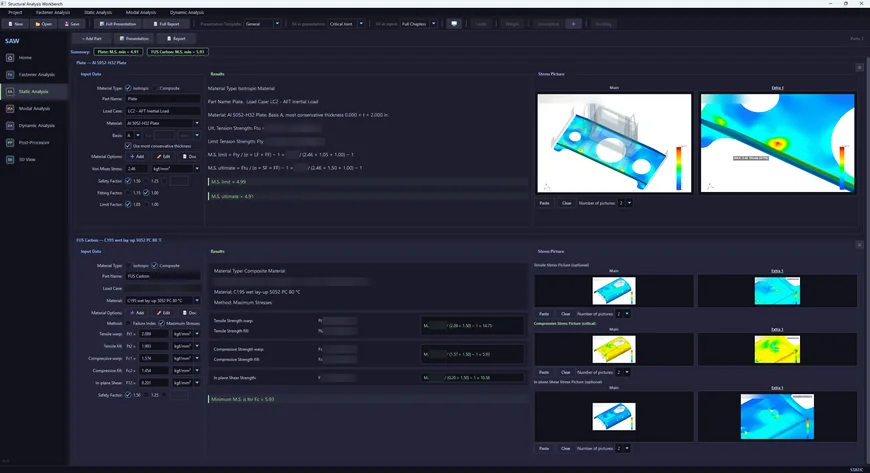
- Live margins: margins recalculate with every input, passing margins are green, failing margins are red
- Consistent pictures: report pictures come out the same every time, an overall view, a part view and a zoom on the maximum
- Established conventions: values agree with the established workflow, with the same result averaging as Altair HyperView
Agentic AI: a whole project in one run
- 01
Plan
Every input is checked before any solve: analysis types, excitation directions, spectra, picture sizes and file path lengths
- 02
Solve
MSC Nastran runs one analysis at a time on a copy of the deck, and the original deck is never modified
- 03
Fan out
Analysis agents post-process static, modal, buckling and random vibration in parallel, while 4 reviewer agents read the model, the loads and spectra, the solver output and the materials
- 04
Reconcile
The orchestrating agent compares masses, frequencies and load cases across the analyses and decides every conflict
- 05
Build
The .saw project file, the full presentation and the full report, with a round-trip check that nothing was lost
Every solve is fingerprinted: when a deck or a spectrum changes, no report is built from stale results
Five modules, the whole analysis process
- PPPost-Processor: a 3D viewer for MSC Nastran results that feeds every other module, generates the random vibration decks and runs the solver
- SAStatic Analysis: margins of safety of metallic parts against MMPDS A- and B-basis allowables with thickness bands, and composite parts with the Tsai-Wu and maximum stress failure criteria
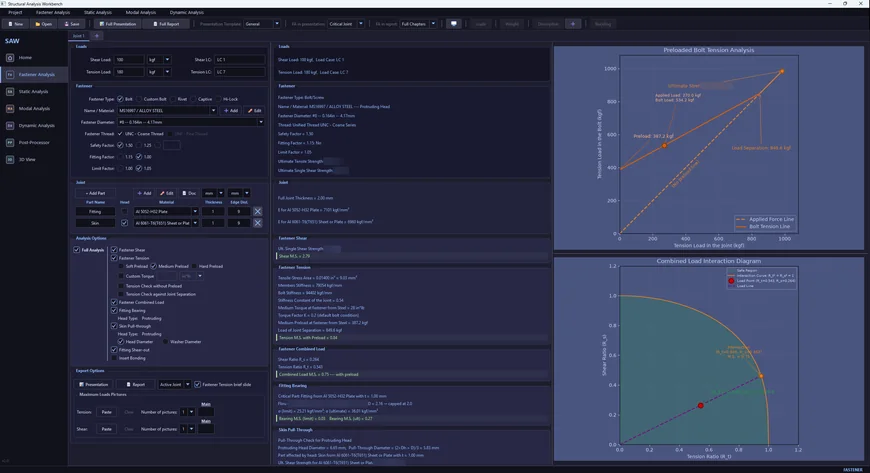
- FAFastener Analysis: bolts, rivets and Hi-Lok pins in 7 failure modes, including preloaded tension with joint stiffness, bearing, pull-through and shear-out, from a library of 453 fastener-diameter records
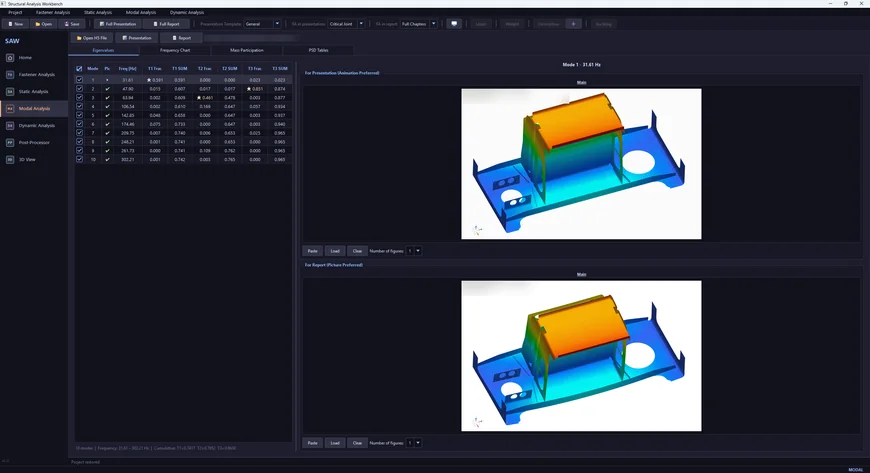
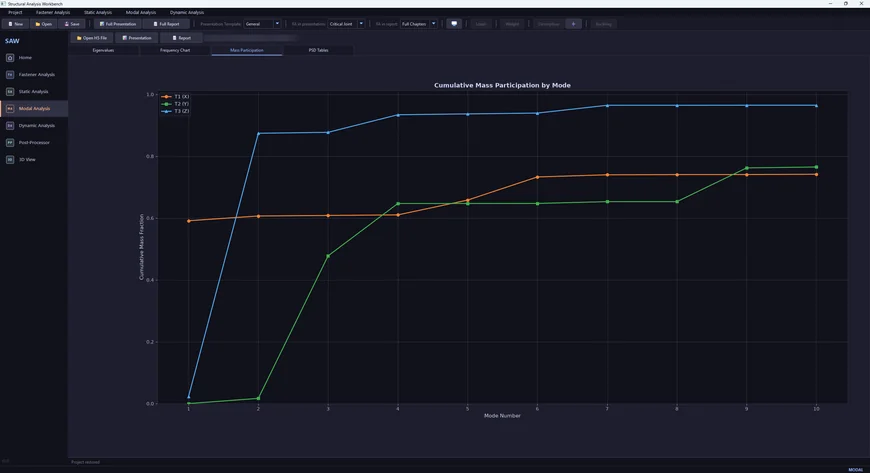
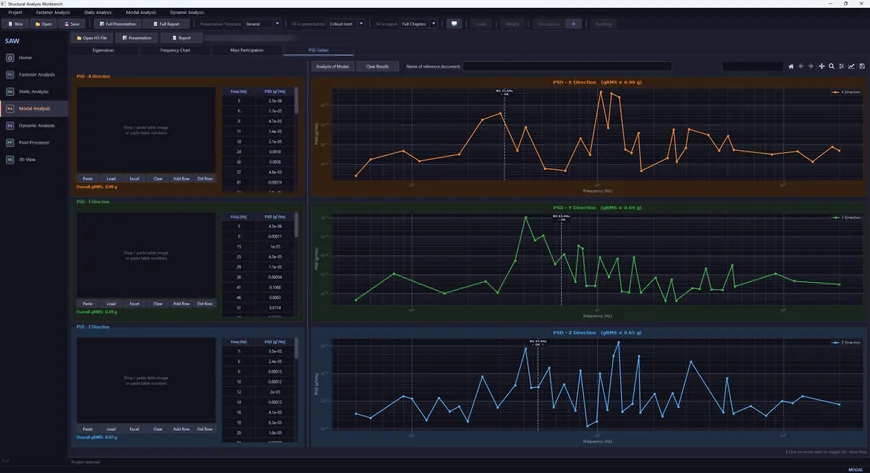
- MAModal Analysis: mode table, effective mass, animated mode shapes and an automatic resonance check against the vibration spectra
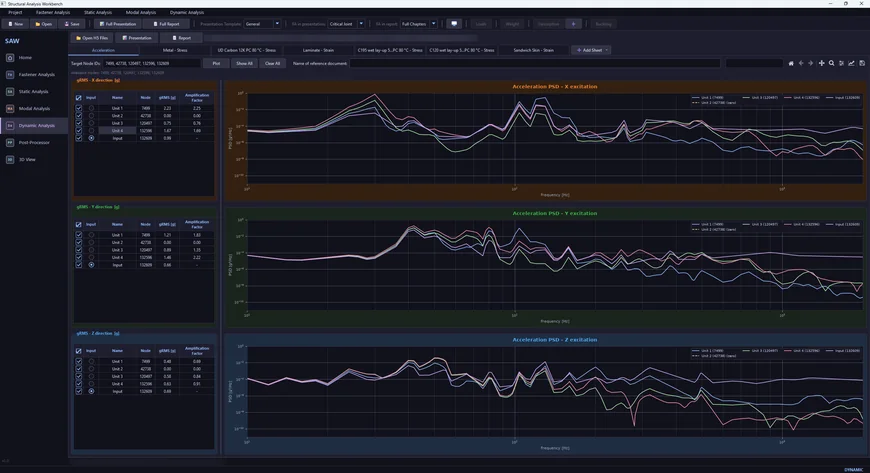
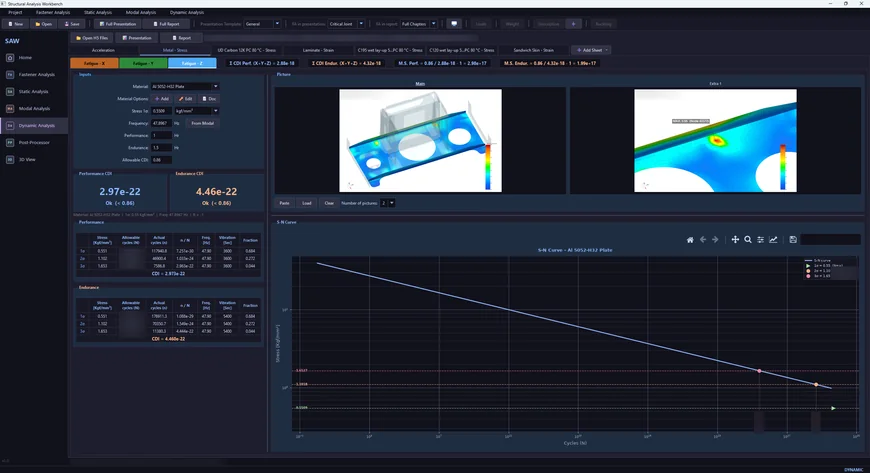
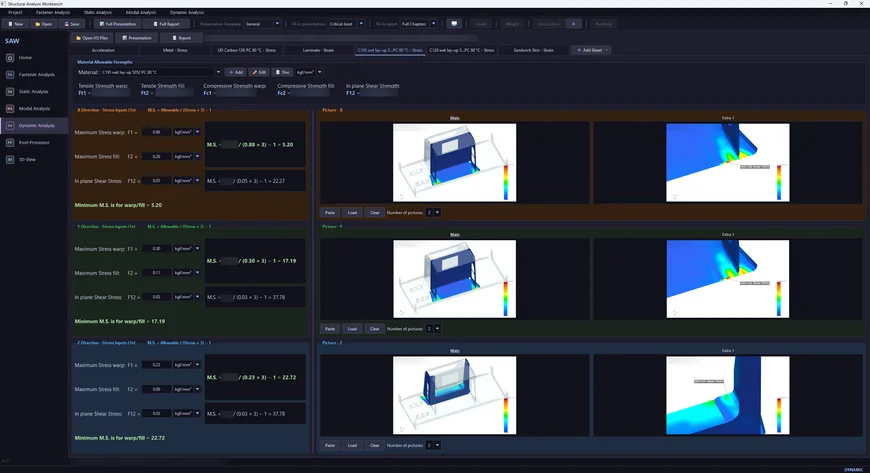
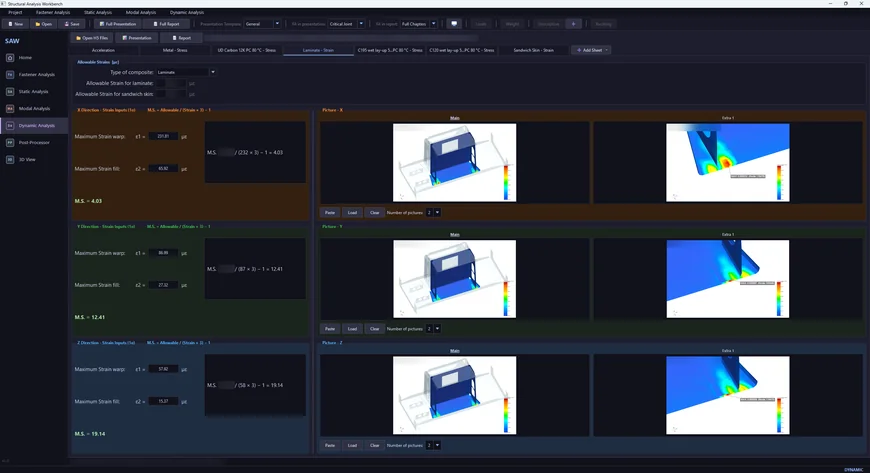
- DADynamic Analysis: random vibration response and amplification in 3 axes, three-band fatigue with Miner's rule, and composite stress and strain margins
Engineering judgement stays with me
- Human in the loop: the AI skills report numbers and flags; I decide every engineering question and sign off every result of my analyses
- Same verified code: the automation drives SAW's own code exactly as an engineer would, so an automated report is as traceable as a manual one and reopens in SAW for review
- Independent check: in the agent team, the one who builds is never the one who checks, and risky changes always get an independent QA review
- Fast revisions: a model revision means regenerating the project, not rewriting it